Business Letters and Quotations
Place company stamp artwork on supplier quotations, purchase orders and prepared business letters. Keep the original and completed copies available.

YOUR COMPANY STAMP. YOUR DOCUMENT.
Place your authorised company stamp on a PDF, check every page and download the completed copy. A practical workflow for Africa’s business letters, quotations and certificates.
Verify your email · 14-day personal trial · 10 completed documents total
A PRACTICAL DOCUMENT TOOL
Finish a supplier quotation, company letter or prepared school certificate without printing just to stamp it. Cigned lets you add company stamp artwork to a PDF, position it where you need it and create a completed PDF copy.
Choose a saved personal stamp or a team stamp you have permission to use. Move and resize the mark, repeat a placement on other pages, and save a draft to continue later. Your original document remains available.
Follow the Steps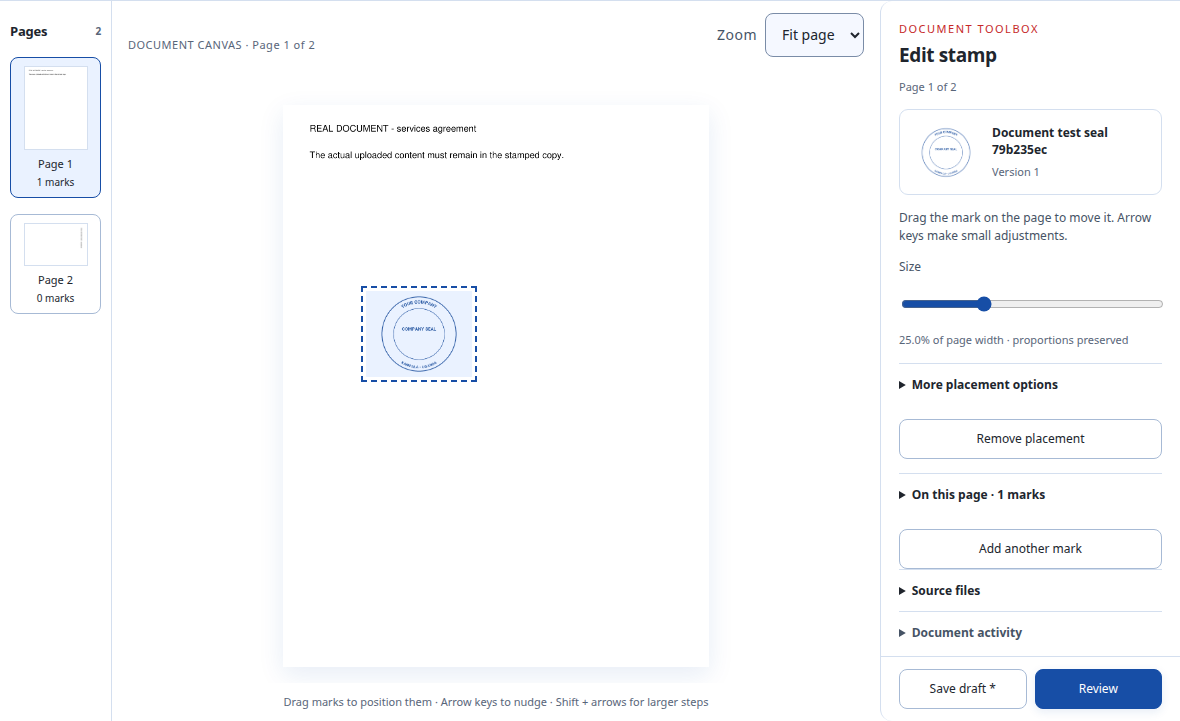
STEP BY STEP
Start with saved artwork in Stamps. Create a digital stamp or upload your existing stamp image.
Open Documents and upload a PDF or Word file. Review the prepared pages before placing any marks.
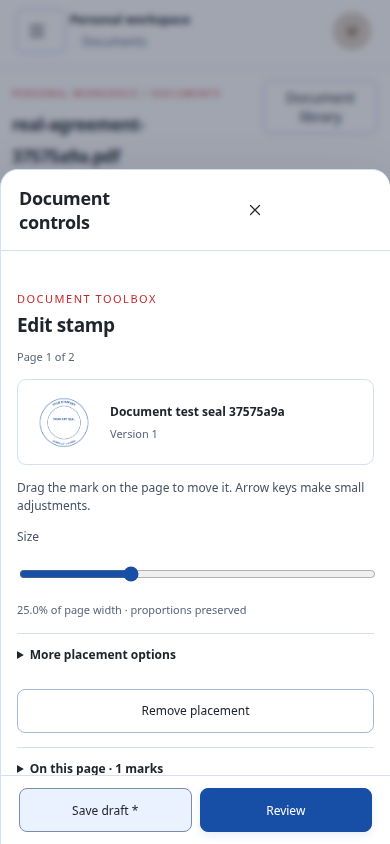
On a phone, open Add mark. Choose Stamp, select your saved version and choose Place stamp. Tap the page or choose Place in centre. Drag the mark and use Size to resize it.
Choose Review document and check every page. Confirm your page checks, select Create stamped PDF, then Download stamped PDF. Use Save draft if you need to continue later.
On a phone, tap Edit mark to reopen these controls. Drag the stamp on the page, use Size to resize it, or expand More placement options to repeat it on other pages.
These are captures of the actual app with example artwork and documents.
Open control closeup ↗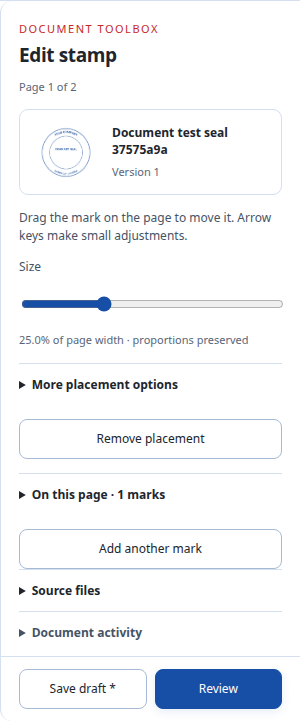
Working from a Word document? Upload the DOCX and check the converted PDF pages before creating your completed copy.
FOR AFRICA’S EVERYDAY WORK
Place company stamp artwork on supplier quotations, purchase orders and prepared business letters. Keep the original and completed copies available.
Apply authorised artwork to prepared certificate PDFs. Review names, spacing and mark placement before downloading.
Finish prepared NGO reports and project letters. Save placements as a draft while you check the document.
BEFORE YOU START
Choose the workflow that fits your documents.
Discuss Your WorkflowYes. Upload a PNG or JPEG stamp image in Stamps, save its artwork and use that version on your document. A transparent PNG helps keep the page visible around your stamp.
Yes. Select a placed mark and expand More placement options. Choose the last page or all pages under Repeat placement, then apply and check each page.
Yes. Add your own signature from the Signature tab. See the PDF signing workflow. You must authorise applying your signature before creating the completed PDF.
Cigned retains your original. The output is a new PDF copy; editing a draft does not change an earlier completed output.
Cigned places company stamp artwork on documents. It does not issue tax, postage or stamp-duty stamps.
Email verification starts a 14-day personal trial with 10 completed documents total. Trial previews and PDFs carry a trial footer. Ongoing use requires a paid plan; compare the plans.
PUT IT INTO PRACTICE
TRY IT WITH YOUR OWN DOCUMENTS
Verify your email for a 14-day personal trial with 10 completed documents total. Trial PDFs carry “Cigned Trial · cigned.com”.
Owner only · No teams during the trial · Paid access starts after confirmed payment